Getting Started
Prerequisites
Section titled “Prerequisites”- Node.js 22+ (LTS recommended)
- An AI coding agent installed locally (e.g. Claude Code)
Quick Start
Section titled “Quick Start”npx agentpaneThis starts an API server on http://localhost:3456 and a web frontend on http://localhost:6767. Open localhost:6767 in your browser.
Your First Session
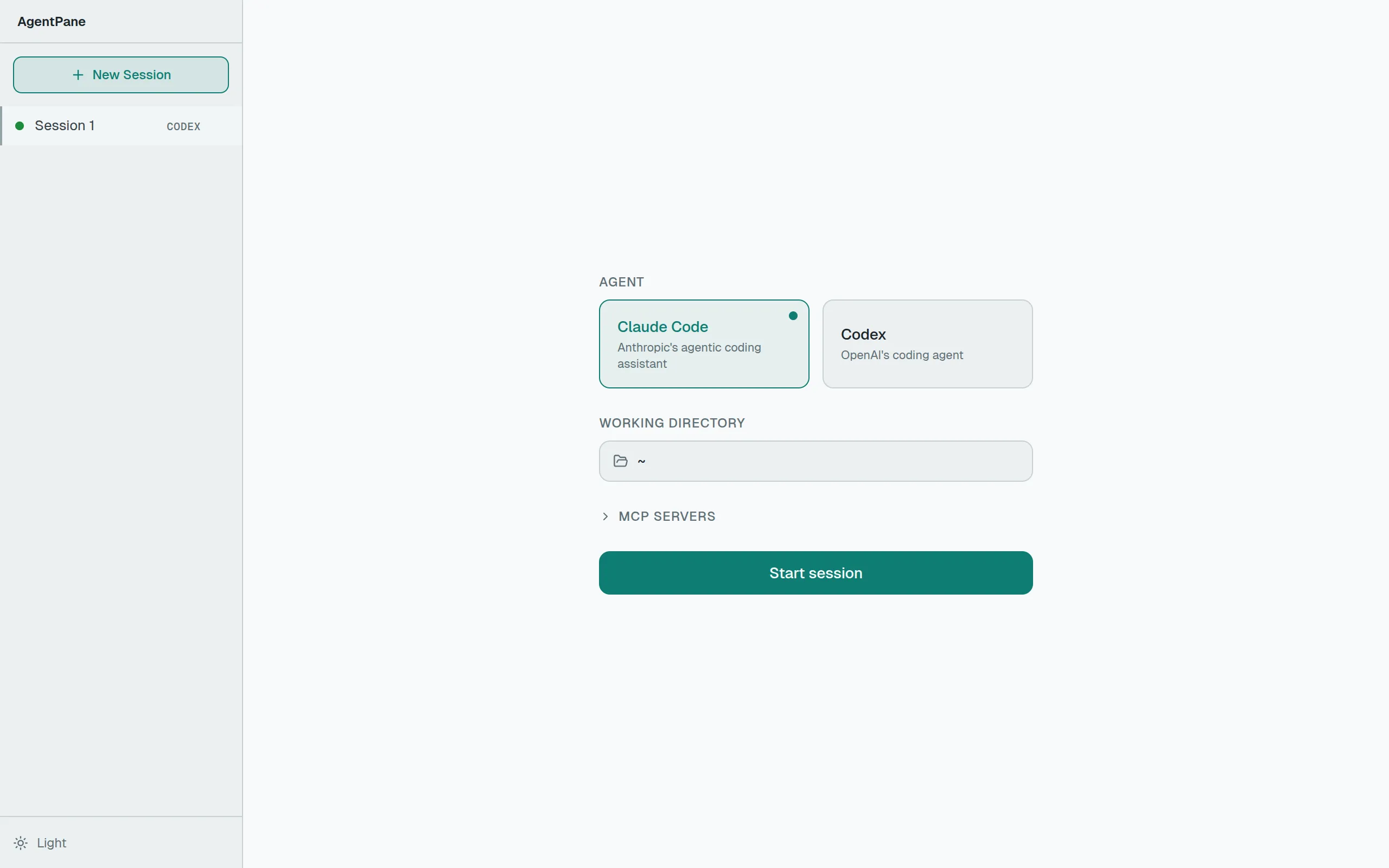
Section titled “Your First Session”- Choose an agent — Select from the available providers (Claude Code, Codex) on the setup screen.
- Pick a working directory — The agent will operate in this directory.
- Start chatting — Type a prompt and the agent begins working. You’ll see tool calls, file edits, and responses streamed in real time.
Development Setup
Section titled “Development Setup”To work on AgentPane itself:
git clone https://github.com/bgub/agentpane.gitcd agentpanenpm installnpm run devThis starts:
- Next.js dev server on port 6767
- Hono API server on port 3456
The Next.js dev server rewrites /api requests to the backend automatically.